NeoSpin Mobile Casino and App Guide Australia
 Available in AU
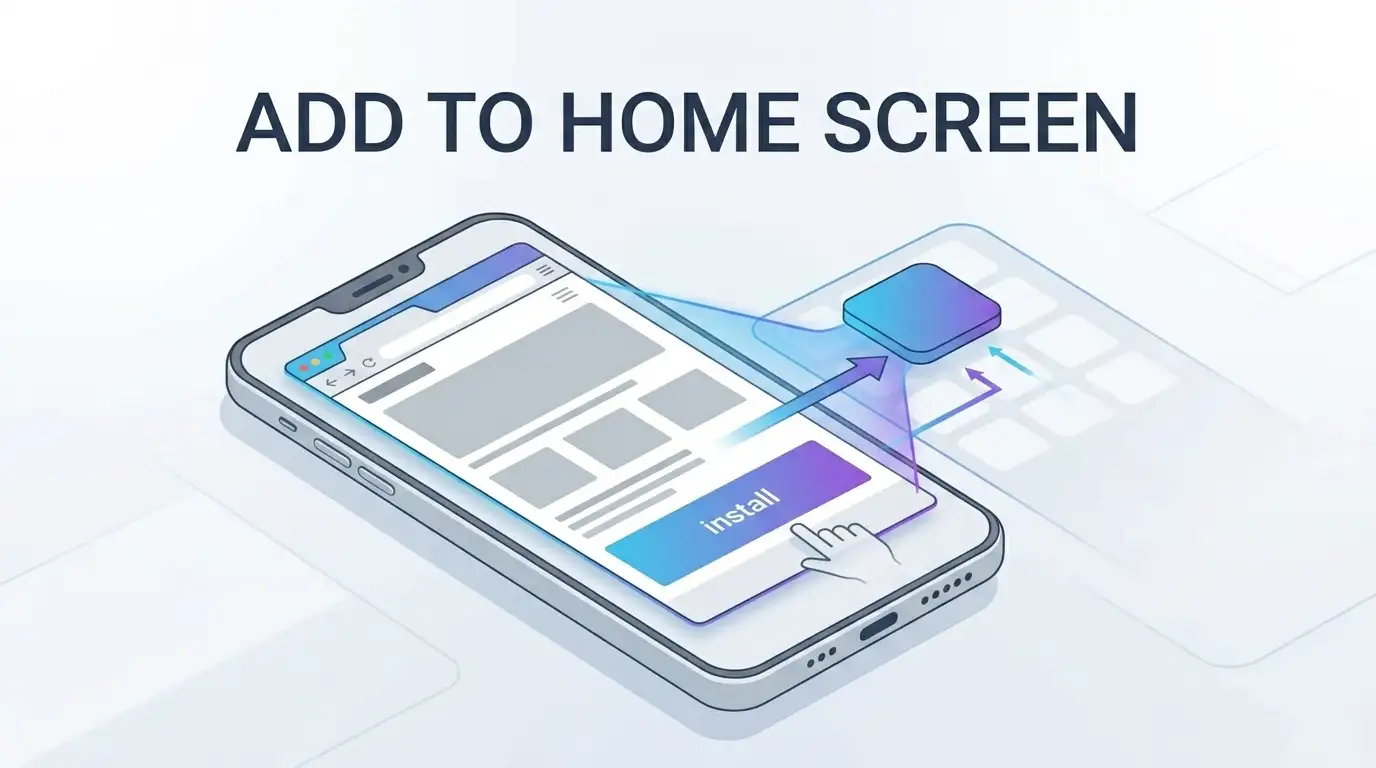
NeoSpin provides an installable mobile experience, but the official instructions currently describe browser-based installation rather than a verified native App Store or Google Play release. On iPhone and iPad, NeoSpin tells users to open the casino in Safari, tap Share and choose “Add to Home Screen”. On Android, the official instructions say to open NeoSpin in Chrome, use the three-dot menu and choose “Install app”. The site also has an English – Australia localisation, so Australian users can access an AU-facing version through a mobile browser. The terminology matters: adding a website to the home screen or installing it through Chrome can create an app-like shortcut and standalone experience, but that is not the same evidence as an operator-published native app listing in Apple’s App Store or Google Play.
- Is there a NeoSpin app for iPhone and Android?
- How to install NeoSpin on iPhone or iPad
- How to install NeoSpin on Android
- Mobile browser access versus home-screen install
- What the Australian localisation means on mobile
- Using NeoSpin games on a phone
- Security checks before adding a casino site to your home screen
- Why the word “app” needs careful interpretation
- Do you need to install anything?
- Mobile troubleshooting without unsupported assumptions
- NeoSpin mobile verdict for Australian users
- FAQ
Is there a NeoSpin app for iPhone and Android?
There is an official NeoSpin page titled “Install NeoSpin Casino App”, but its actual steps are web-install steps. On iOS Safari, the page instructs users to add NeoSpin to the home screen. On Android Chrome, it instructs users to use Chrome’s “Install app” function. That distinction is more useful than the marketing label because it tells you how the software is delivered.
A native store app is normally downloaded from an official App Store or Google Play listing associated with the operator or developer. A browser-installed web app starts from a website and is installed or pinned through the browser. Both can place an icon on the home screen and both can open in an app-like window, but they have different distribution and update models.
The official installation evidence does not require an app-store download. For that reason, this guide treats the operator-published Safari and Chrome instructions as the verified installation route and does not infer a separate native-store product from the word “app” alone.
How to install NeoSpin on iPhone or iPad
NeoSpin’s official iOS instructions use Safari’s built-in home-screen function. The published steps are straightforward:
- Open NeoSpin Casino in Safari on the iOS device.
- Tap the Share button.
- Scroll through the share options and choose “Add to Home Screen”.
- Confirm the home-screen addition using the name and icon presented by Safari.
After that, the home-screen icon gives quicker access than typing the address each time. Depending on how the web app is configured by the site, it can open with less visible browser chrome and feel closer to a standalone app. The key point is that the installation begins in Safari, not in the App Store.
If “Add to Home Screen” is not immediately visible, iOS can place it lower in the Share sheet or among editable actions. The safest route is to use the current Safari interface rather than following outdated instructions from a different iOS version, because Apple changes menu placement over time.
How to install NeoSpin on Android
NeoSpin’s Android instructions currently use Google Chrome. The official flow is:
- Open NeoSpin Casino in Chrome on the Android device.
- Open the three-dot menu in the top-right area of Chrome.
- Select “Install app”.
- Tap “Install” to confirm.
This is a browser installation flow. It should not be rewritten as “download NeoSpin from Google Play” because that is not what the operator’s installation page tells users to do. Android can support installable web applications through Chrome, and the resulting icon can look similar to an ordinary app icon even though the delivery route is different.
If Chrome does not offer the install option, first confirm that you are on the official NeoSpin page and that the browser is current. Browser support, site configuration and device settings can affect whether the install prompt appears. You can still use the site in the browser without adding it to the home screen.
Mobile browser access versus home-screen install
| Access method | How it starts | What changes | Best for |
|---|---|---|---|
| Regular mobile browser | Open the NeoSpin website in Safari or Chrome | No installation required | Occasional access or first-time checking |
| iOS home-screen shortcut | Safari Share menu, then Add to Home Screen | Adds a launch icon and can create a more app-like view | Frequent iPhone or iPad access |
| Android browser install | Chrome menu, then Install app | Adds an installed web experience from the browser | Frequent Android access |
| Native store app | Official platform app store | Installed as a store-distributed application | Only relevant when an official operator listing is verified |
For NeoSpin, the currently verified operator instructions support the first three routes, with the second and third promoted as the casino “app” experience. This guide does not label the product a native App Store or Google Play app because the official installation evidence does not establish that.
What the Australian localisation means on mobile
NeoSpin currently offers an English – Australia site version. On mobile, that gives Australian readers an AU-facing content layer rather than forcing them through a generic English page. Localisation can affect displayed currency, promotional wording, payment tables and navigation labels.
It does not, by itself, answer the separate operator-status question. A localised language or country version shows that the operator has created content for that market, while regulatory status needs separate assessment. The dedicated Is NeoSpin Legal in Australia? ACMA Status and Licence covers that issue without turning a mobile usability page into a legal analysis.
Using NeoSpin games on a phone
The purpose of installing NeoSpin to a home screen is faster access to the same service through a mobile-oriented entry point. It does not create a separate catalogue that should be assumed to contain different games. What is actually playable can still depend on provider restrictions, account state and the live AU lobby.
For that reason, this page avoids unsupported claims such as a fixed percentage of games being mobile compatible, exact loading-speed improvements or guaranteed performance on every handset. Those would require device-specific testing and can change with browser updates, connection quality and game technology.
If game selection is the main question, use the NeoSpin Pokies and Games for Australian Players. It covers the current Australian lobby categories and provider restrictions rather than duplicating the game library here.
Security checks before adding a casino site to your home screen
A home-screen icon reduces the number of steps needed to open a site, which also makes it important to verify the destination before installation. Do not install from a page reached through a suspicious message, copied advertisement or lookalike domain. Start from the same official NeoSpin web address you would trust in a normal browser session.
- Check the address carefully before using the browser’s install or home-screen function.
- Use the device’s normal screen lock and biometric controls where available.
- Do not save passwords on a shared device.
- Avoid installing a store app only because its name contains “NeoSpin”. Verify the publisher and operator connection first.
- Keep the operating system and browser current so browser security fixes are applied.
- When finished on a borrowed device, sign out rather than relying on closing the window.
These are general device-safety practices. They do not imply that NeoSpin provides specific biometric, encryption or anti-phishing features beyond what has been verified.
Why the word “app” needs careful interpretation
NeoSpin itself uses the phrase “Install NeoSpin Casino App”, but the steps immediately below that heading begin in Safari or Chrome. That makes the delivery method clear even when the marketing label is broad. The most reliable interpretation is therefore based on the actual instructions: iOS users add the site to the home screen, and Android users install the web experience through Chrome.
This distinction prevents a common review-site error. Calling every home-screen experience a native app can send readers looking for a store listing that the verified operator instructions do not require. The practical route is simpler: begin with the official website and follow the browser-specific steps shown there.
Do you need to install anything?
No installation is necessary just to access a website through a mobile browser. The home-screen option is about convenience. If you are evaluating NeoSpin for the first time, using Safari or Chrome normally can be preferable because you can inspect the address bar directly and decide whether you want a persistent icon later.
For returning users, a home-screen launch can remove a few navigation steps. It can also make the experience feel more like an app without requiring a store download. Whether that convenience is worthwhile depends on how often you use the service and whether the device is personal or shared.
If you are not yet registered, the separate How to Register at NeoSpin Australia explains the account process. This mobile guide deliberately does not duplicate registration instructions because installation and account creation are different tasks.
Mobile troubleshooting without unsupported assumptions
If NeoSpin opens in the browser but the install option is missing, there are several ordinary checks worth making. Confirm the browser is Safari on iOS or Chrome on Android when following the operator’s published steps. Refresh the site, update the browser if an update is pending and make sure you are not browsing inside an embedded web view opened from another app.
If a game or page behaves differently after installation, compare it with the same page in the normal browser. That can help isolate whether the issue is related to the installed web-app shell, the game itself or the network connection. Avoid assuming that deleting and reinstalling will fix account-level restrictions, verification issues or provider availability because those are controlled on the service side rather than by the shortcut.
NeoSpin mobile verdict for Australian users
NeoSpin’s current mobile proposition is clear once the terminology is stripped back: use the AU-facing website on a phone, and optionally install that web experience to the home screen. iOS uses Safari’s Add to Home Screen flow, while Android uses Chrome’s Install app flow. That gives an app-like launch without requiring this guide to invent a native store application.
The strongest reason to follow the official browser route is verification. It starts from the operator’s own website and avoids confusing unrelated store listings with the casino. For a wider assessment of payments, bonuses, games and operator context, return to the NeoSpin Casino Australia Review 2026.
FAQ
Does NeoSpin have an iPhone app?
NeoSpin’s current official instructions tell iPhone users to open the casino in Safari and choose Add to Home Screen. That is a browser-based installation route, not evidence of a verified native App Store listing.
How do I install NeoSpin on Android?
Open NeoSpin in Chrome, open the three-dot menu, choose Install app and confirm Install. Those are the steps published on NeoSpin’s official installation page.
Can I use NeoSpin without installing it?
Yes. The home-screen installation is a convenience layer. The site can be accessed through a supported mobile browser without creating a home-screen icon.
Is the NeoSpin home-screen install the same as a native store app?
No. The verified NeoSpin instructions begin in Safari or Chrome and use browser installation functions. This guide therefore describes the product as a browser-installed or home-screen experience rather than assuming a native store release.
Published by the Neospin team.